How to Swap a Pod on a Two-Piece Disposable
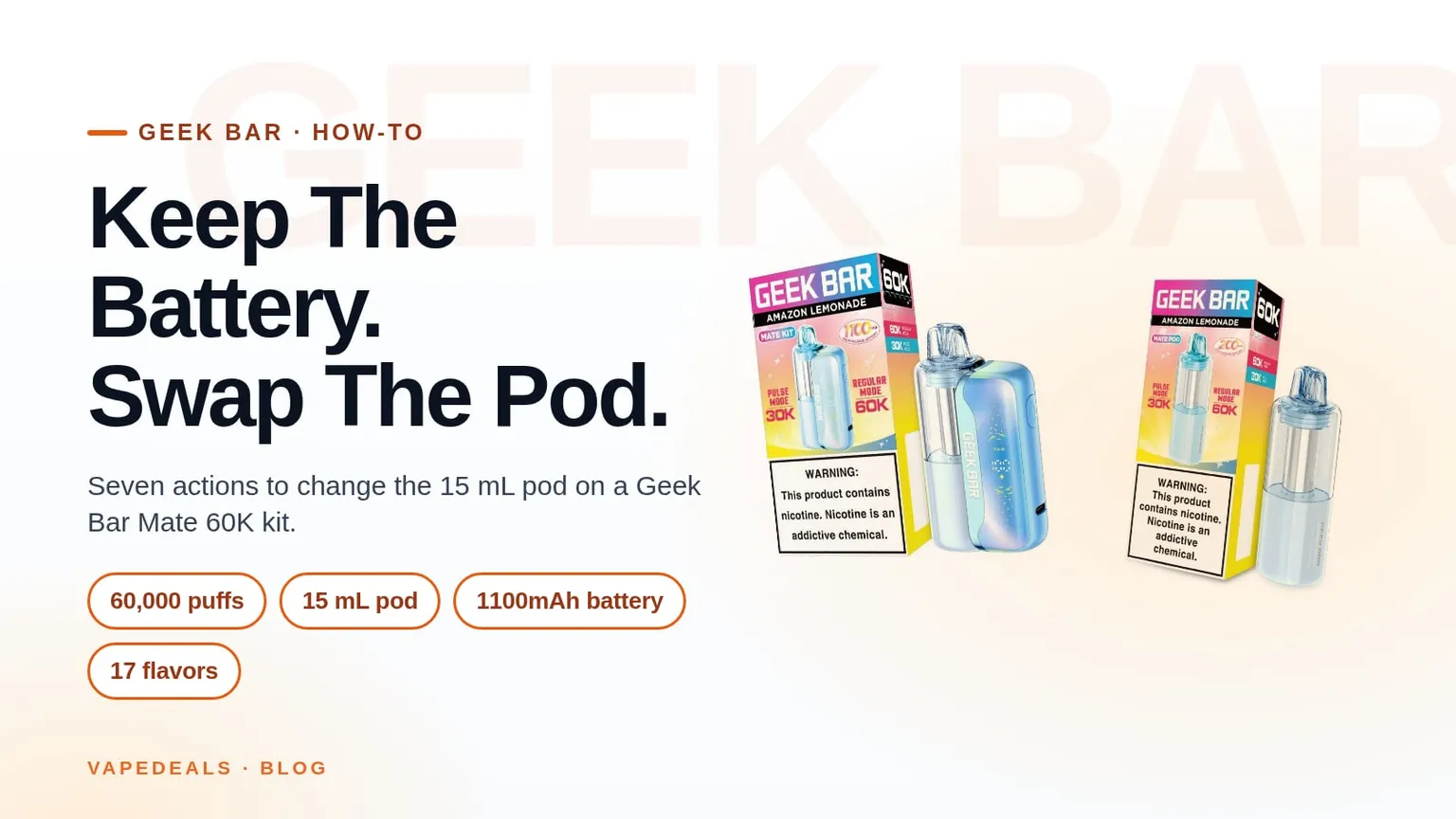
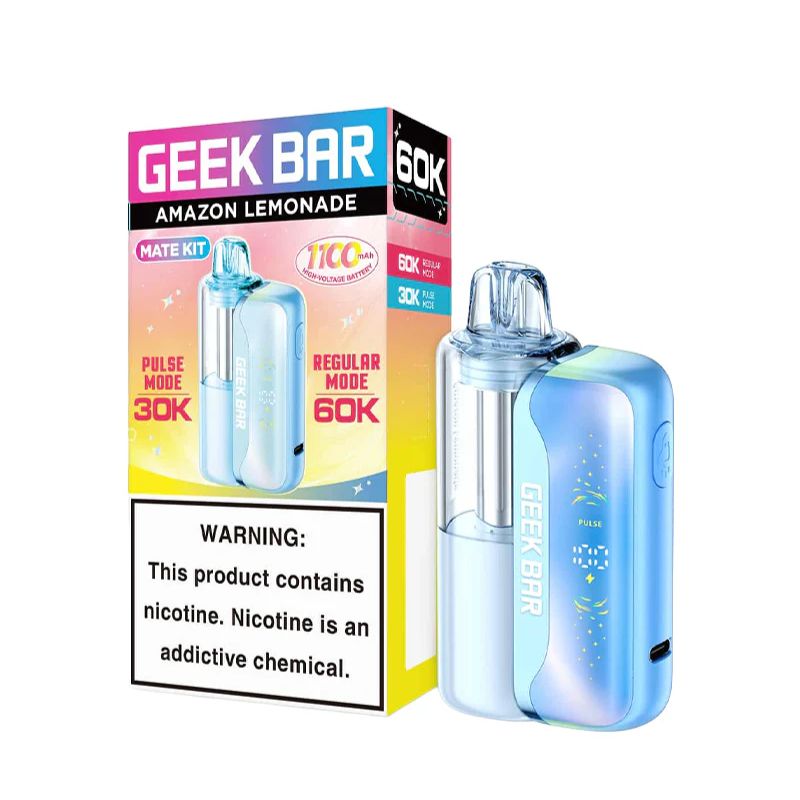
Seven actions on the Geek Bar Mate 60K: a 1100mAh battery you keep, a 15 mL pod you replace
5 min read
Key Takeaways
- A two-piece disposable is a battery you keep and a pod you replace; on the Geek Bar Mate 60K the battery is 1100mAh and each pod carries 15 mL.
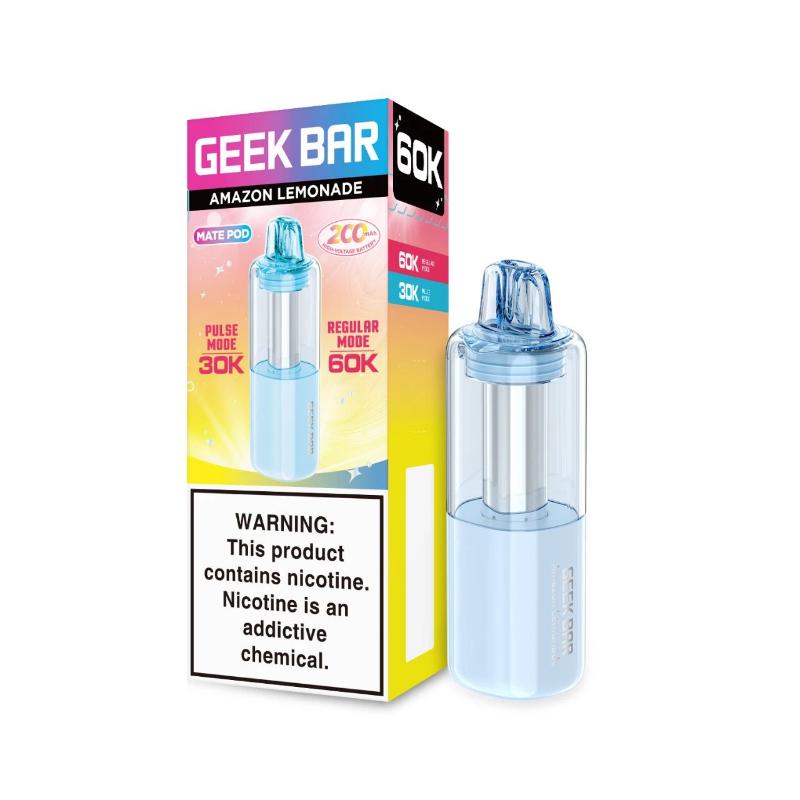
- Every Mate 60K pod carries the maker's 60,000-puff rating and a 200mAh cell of its own, which is why Geek Bar says the pod works on its own.
- A swap is seven actions, from letting the coil cool to resetting the airflow, and none of them needs a tool.
- The channel lists 17 Mate 60K flavors, and the kit and the refill pod share the same list.
A two-piece disposable splits the device you are used to into a battery you keep and a pod you replace. On the Geek Bar Mate 60K kit that battery is 1100mAh with a USB-C port, and the Mate 60K pod is the part that holds the liquid, the dual mesh coil and a 200mAh cell of its own.
Swapping the pod is the whole reason the device is built this way, and it takes under a minute once you have done it once. The steps below are written at the button level so you can follow them with the device in your other hand.
What You Need
- Your Geek Bar Mate 60K battery, charged or on its cable.
- A fresh Mate 60K pod in the flavor you want, still sealed.
- A flat surface and a dry hand; the parts are small enough to lose on a car seat.
You do not need tools. The pod and the battery are made to come apart by hand, and nothing on the device unscrews.
How To Swap The Pod
- Stop using the device and let it sit for a moment so the coil is not hot when you handle the pod.
- Hold the battery section in one hand and the pod in the other, and separate them with a straight pull. Do not twist.
- Set the used pod aside; if it still has liquid you can use it on its own later, since Geek Bar states the pod works solo.
- Unwrap the fresh pod and remove any seal or plug the packaging puts over its contacts or mouthpiece.
- Line the fresh pod up with the battery the same way the old one sat, and press until it sits flush with no gap.
- Take a short draw with no pressure on the button or sensor; if the device wakes and the screen responds, the pod is seated.
- Set the airflow where you had it, since a fresh pod gives you the chance to reset the draw.
There is no pairing step and no reset to run afterward, because the battery remembers nothing about the old pod.
What The Pod Carries And What The Battery Carries
The pod is where every consumable part lives: 15 mL of liquid at 5% strength, the dual mesh coil, and a 200mAh cell. The kit battery is the 1100mAh section with the USB-C port, the screen and the adjustable airflow. When you swap, the 60,000-puff rating goes with the pod, because the rating is the maker's figure for the liquid the pod holds.
Geek Bar lists two modes on its page for the Mate 60K, Regular and Pulse. Those are the maker's names for two draw settings, and both are set on the battery, not on the pod, so your mode stays put through a swap.
Something Went Wrong? Here Is How To Fix It
| Symptom | Cause | Fix |
|---|---|---|
| No vapor after the swap | The pod is not seated all the way | Pull it off and press it back on until it sits flush with no gap |
| The screen stays dark | The battery is flat | Plug the battery into USB-C and try again once it shows charge |
| A burnt note on the first draw | The coil was dry when you drew | Let the fresh pod stand upright for a few minutes before the next draw |
| The draw feels wrong | Airflow moved during the swap | Set the airflow back to where you had it on the old pod |
| The pod will not come off | You are twisting instead of pulling | Pull straight along the length of the device |
If a fresh pod gives no vapor on a charged battery after a second seating, the pod is the fault rather than the battery. Try a second pod before you give up on the kit.
Pick The Kit Or The Pod
Pick the Mate 60K kit if you do not own the battery yet, since the kit is the 1100mAh battery and a 15 mL pod together. Pick the Mate 60K pod on its own if you already have the battery and want a new flavor, or want a pod that runs by itself on its 200mAh cell. Either way the channel lists the same 17 flavors for both, so the flavor you like is there in both shapes.
Both are listed under Geek Bar on the channel, alongside the rest of the 50,000-puff disposables.
FAQ
Can I Use A Mate 60K Pod Without The Battery?
Yes, Geek Bar states the pod works solo on its own 200mAh cell.
How Much Liquid Is In A Mate 60K Pod?
Each pod carries 15 mL at 5% strength, rated by the maker at 60,000 puffs.
Do I Need To Reset The Battery After A Swap?
No, there is no pairing or reset; seat the pod flush and draw.
How Big Is The Mate 60K Battery?
The kit battery is 1100mAh and charges over USB-C.
How Many Mate 60K Flavors Are There?
The channel lists 17 flavors, the same list for the kit and the pod.
WARNING: This product contains nicotine. Nicotine is an addictive chemical.